 Agent Auto-Continue
 Guide
Auto-continue Claude Desktop sessions
Published
Your Code session in Claude Desktop stops at the session-limit card, halfway through a migration. You’d like it to carry on without you.
Claude Desktop already does the basic version. The session-limit card in the Code tab has an Auto-continue when limits reset checkbox. Tick it and Desktop retries the interrupted turn after the reset. It’s separate from the CLI’s own setting. The weekly-limit card doesn’t offer it, and Anthropic’s tip is to leave the session open.
Just want that turn retried, with Desktop left open? Tick the box. You don’t need anything else.
What the app adds
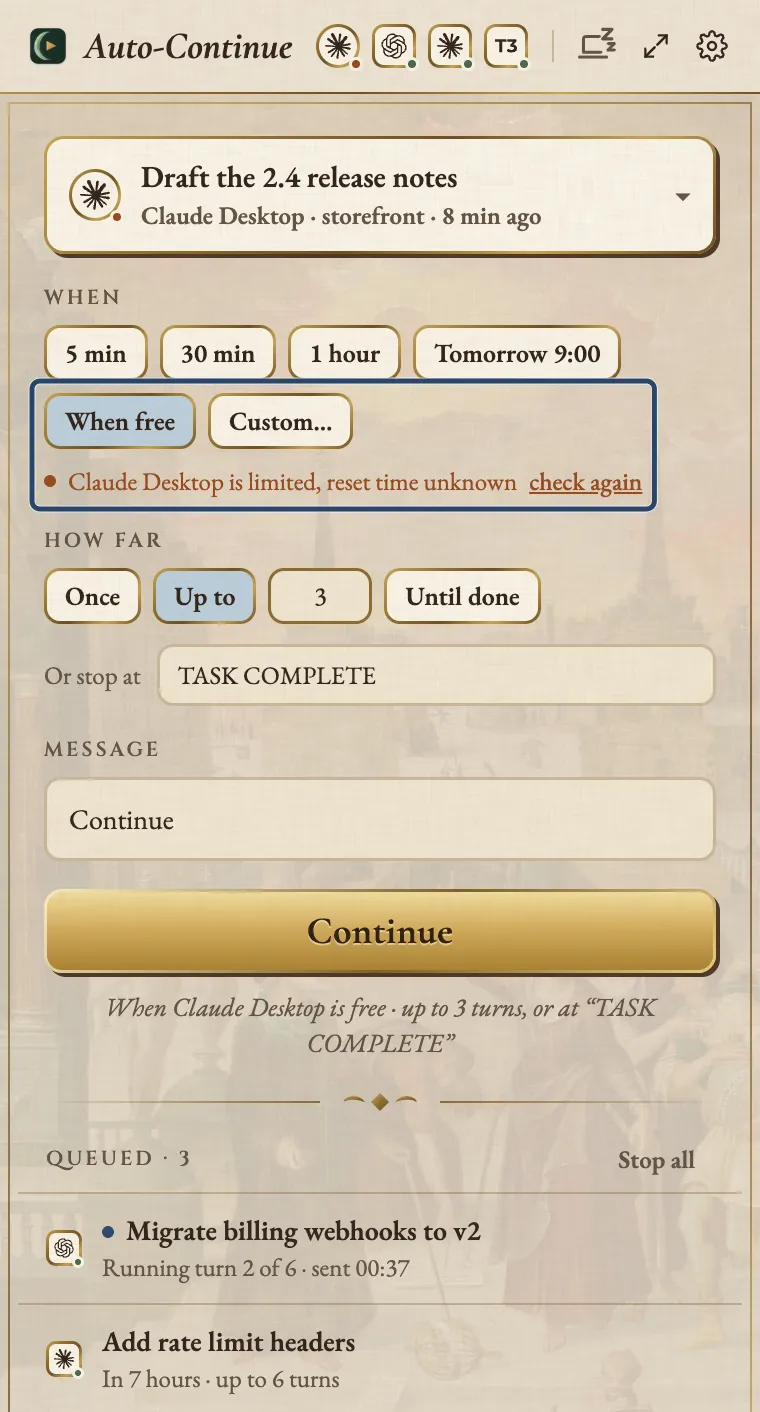
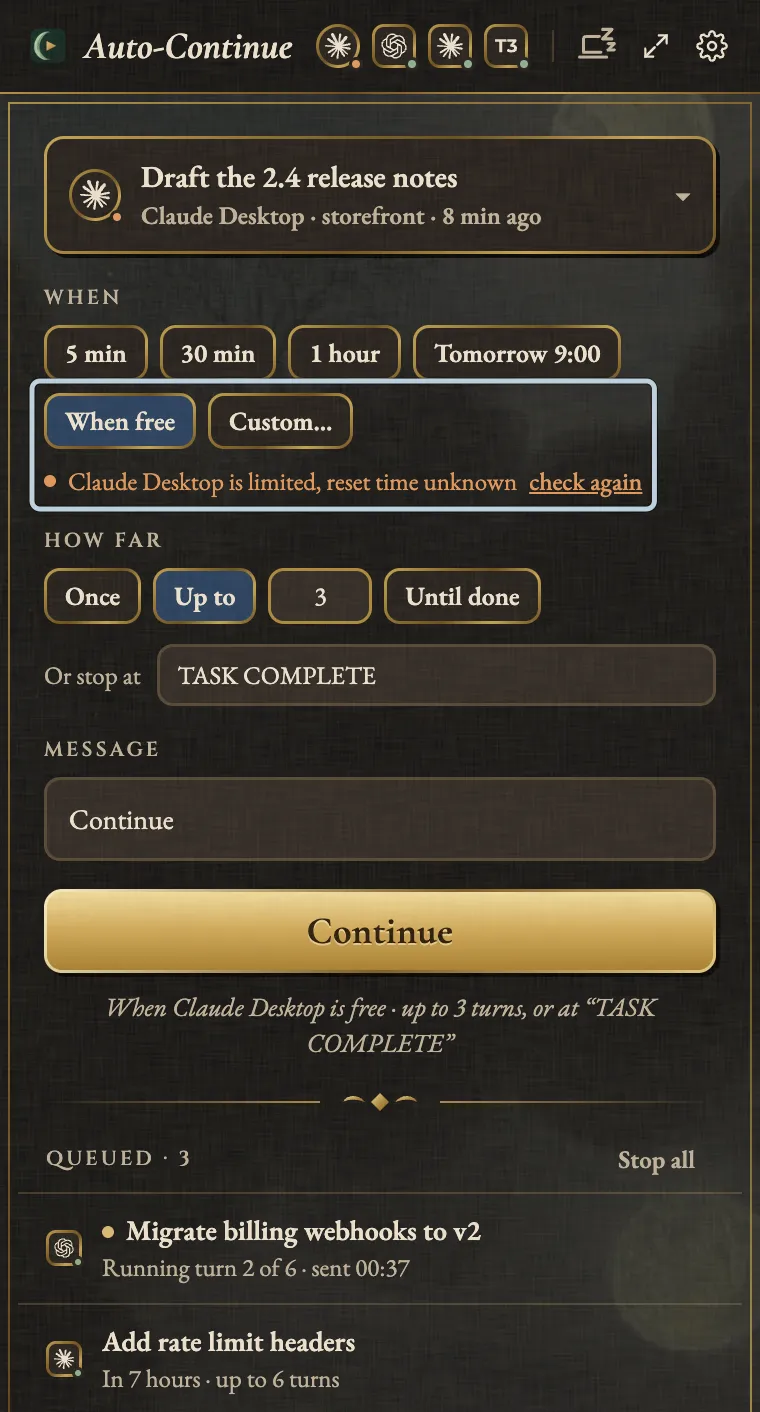
Agent Auto-Continue is a free macOS menu-bar app that schedules messages into Desktop’s Code sessions.
- Your message. “Run the tests and fix what fails”, not the same turn again.
- Your time. 03:00, tomorrow at 09:00, or When free.
- Several turns. Up to a limit or until you stop it, with an optional stop phrase like
TASK COMPLETE. - The weekly limit. Pick a time after the reset.
- Every agent in one queue. Claude Code, Codex, the ChatGPT app and more.
- Optional keep-awake. Off by default; it keeps the display on for Desktop work.
One catch with When free. The app reads Desktop’s limits from its plan-usage samples, which carry no reset time. Without one, the limit doesn’t hold the send back, so it goes straight away. If that turn hits the limit, it doesn’t count, and the next waits for the reset in Claude’s limit message, or 15 minutes without one. Three limited turns in a row pause the chain.
How it sends
It opens the session with Desktop’s own claude:// link, sets the message through macOS Accessibility and presses Send.
No keyboard events, and it never starts claude itself.
- It waits while Claude’s working, going by Desktop’s own status and any Stop button by the message box.
- It won’t touch a draft you’ve left in the box, or send while Claude’s waiting on you.
- Delivery counts only when the typed prompt shows up in the session’s transcript. If it can’t tell, it’s marked unconfirmed, never resent.
- An app state it doesn’t recognise means it refuses before typing anything.
Desktop’s Code sessions don’t show under Claude Code, which won’t send to them (the CLI has its own page).
Side by side
| Built-in checkbox | Agent Auto-Continue | |
|---|---|---|
| Sends | The interrupted turn, again | Any message |
| When | At the session-limit reset | A time, or When free |
| Several turns | No | Yes, optional stop phrase |
| Weekly limit | No | At a time you pick |
| Desktop open | Yes, session too | Yes; it opens the session |
| Mac locked | Not documented | Waits for the unlock |
| Other agents | No | Yes, like Codex in the ChatGPT app |
Set it up
- Install the app and keep Claude Desktop running.
- Turn Agent Auto-Continue on in System Settings > Privacy & Security > Accessibility. The app never pops that prompt itself; if it’s missing, the dashboard links there.
- In the session, pick a permission mode you’d leave unattended.
For several turns, ask Claude to end its final message with
TASK COMPLETEwhen done. - In the menu-bar popover, pick the session, then when and how far.
- Press Continue and leave the Mac unlocked.
The honest limits
- The Mac must be unlocked when it’s due. Locked, it waits, checking every minute and at unlock. A one-off gives up after six hours; a continuation waits until you stop it.
- When free can be early. If you know the reset, pick that time.
- Chats aren’t covered. They live in the cloud, with no local record to find one or prove a message arrived.
- An app update can pause it. It checks Desktop read-only at launch, when you schedule, and every five minutes while something waits. If an update changed what it relies on, the dashboard flags it; a due message fails unsent and a continuation pauses.
Agent Auto-Continue is an independent project. It is not affiliated with, endorsed by, or supported by T3 Tools, Anthropic, OpenAI, or any other agent vendor. Product names are trademarks of their respective owners and are used only to describe compatibility.
Logo moon: Albrecht Altdorfer, The Battle of Alexander at Issus (detail of the crescent), 1529. Alte Pinakothek, Munich, inv. 688. Public domain scan, Google Art Project via Wikimedia Commons.