 Agent Auto-Continue
 Doc
Install and first run
Published
You’ve got Agent-Auto-Continue.dmg in Downloads.
Here’s the short way from that to a Continue queued for 03:00.
It needs macOS 13 Ventura or later and runs natively on Apple silicon and Intel. The app and the disk image are signed with a Developer ID and notarised by Apple.
Install it
- If you haven’t got it yet, use the Download button at the bottom.
- Open it and drag Agent Auto-Continue onto the Applications folder.
- Open the app from Applications.
- macOS asks whether to open an app downloaded from the internet; choose Open. It’s Gatekeeper’s one-time question, and it doesn’t come back.
Because it’s notarised, there’s no “unidentified developer” or “damaged” warning.
Every release also has a SHA256SUMS.txt attached if you’d like to check the download.
Opened it from the disk image instead?
Easy mistake. Opened from there or from Downloads, it offers to move itself.
- Move to Applications moves it and reopens it from there. A copy left behind in Downloads is safe to delete.
- Not Now keeps it running where it is. It asks again only from the disk image or macOS’s temporary spot for fresh downloads, where a copy can’t update itself.
- If an older version’s already in Applications, it offers to replace it, quitting the old copy first if it’s running. Your settings and schedules are kept either way.
Updates
It checks GitHub a minute after launch, then every four hours, and downloads in the background. When it’s ready, an Update ready line appears at the top of the popover with Restart beside it. Nothing restarts by itself. It installs when you quit or press Restart, never mid-send. Restart asks first if a send’s in progress, an agent it started is still working, or a schedule’s due within five minutes.
First run: check your agents
The first launch opens Settings. Under Settings > Agents, every agent has its status, a Check button and an info tip saying what it supports. Untick Show for the ones you don’t use (they won’t be checked or listed) and use the arrows to put the rest in order. The CLIs are found automatically; if one isn’t, give its executable path there.
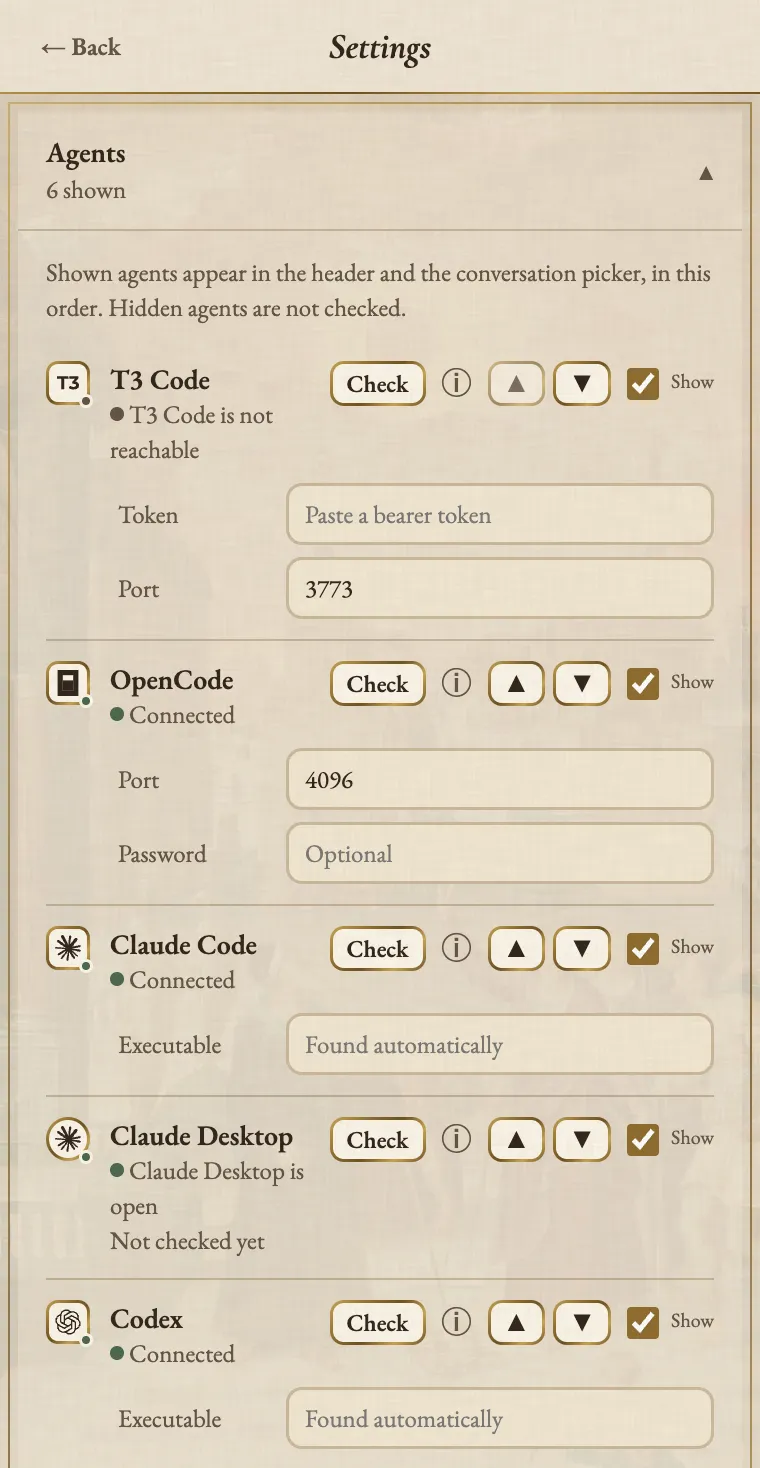
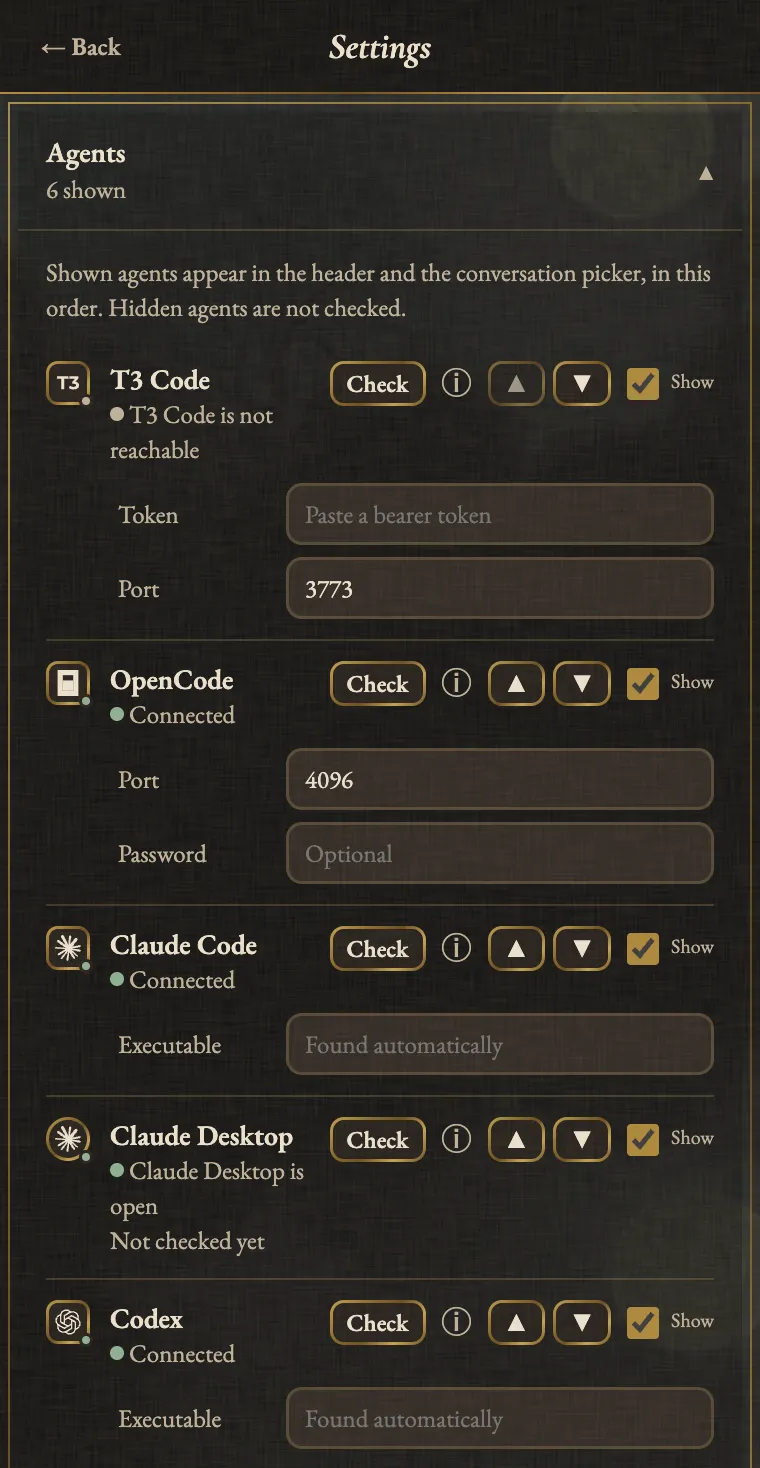
| Agent | What it needs |
|---|---|
| T3 Code | Running, plus a bearer token in Settings |
| OpenCode | A server (opencode serve --port 4096), its port in Settings, and the password if it sets one |
| Claude Code | Installed and signed in |
| Codex CLI | Installed and signed in |
| Claude Desktop, ChatGPT app | Running, Accessibility permission for this app, and the Mac unlocked when a message is due |
For the T3 Code token, follow your installed version’s auth instructions. On versions with the session command, it’s one line:
npx t3 auth session issue --token-only --label agent-auto-continue --ttl 365dAccessibility lives in System Settings > Privacy & Security > Accessibility. The app never asks for it with a pop-up, so grant it before you schedule. Each agent’s quirks are on the supported agents page.
Your first Continue
- Click the menu-bar icon.
- Pick a conversation; every shown agent’s conversations are listed, newest first.
- Pick when: 5 min, 30 min, 1 hour, Tomorrow 9:00, When free or a custom time.
- For agents that report when a turn finishes, pick how far: Once, Up to a number of turns, or Until done.
- Press Continue. The line under it says exactly what will happen, so read it before you go to bed.
The message is Continue unless you hover it and press Edit (what else to say).
Right-click the icon for the menu, where Launch at login lives.
Honest notes
- Only one copy runs at a time.
- Close the Claude Code session before its message is due. If it’s still open, a one-off message waits and retries for up to six hours.
- The Mac has to be awake; keep-awake is off by default.
- No telemetry, analytics or crash reports. It only talks to your agents on this Mac and to GitHub for updates.
Agent Auto-Continue is an independent project. It is not affiliated with, endorsed by, or supported by T3 Tools, Anthropic, OpenAI, or any other agent vendor. Product names are trademarks of their respective owners and are used only to describe compatibility.
Logo moon: Albrecht Altdorfer, The Battle of Alexander at Issus (detail of the crescent), 1529. Alte Pinakothek, Munich, inv. 688. Public domain scan, Google Art Project via Wikimedia Commons.